Best Piano Transcriptions Software
If you’re a musician, you know how difficult it can be to translate an audio recording into sheet music. The best piano transcriptions software can save you time and effort, allowing you to concentrate on the music. It can also help you improve your ear training by giving you an opportunity to loop sections of a song and use an integrated piano keyboard for accurate transcription.
While most of the software we tested is free to download, some offer a premium version with added features. One of these, Dorico, is designed to optimize your workflow by re-routing the way you do things in other programs. However, it requires a bit of a learning curve and isn’t for everyone.
PianoConvert is a standout choice that uses advanced artificial intelligence to automatically transcribe piano pieces into musical notation. It can convert a YouTube video or an audio file into PDF, MIDI and MusicXML, with a high accuracy rate of around 97%. The results are easy to edit and can be exported into these formats for sharing or editing in other programs.
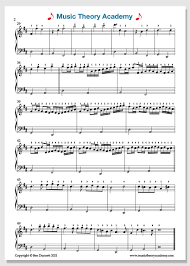
The Best Piano Transcriptions Software
It is a software application that needs to be downloaded and installed, and it works on Windows, macOS and Linux operating systems. It also offers a 30-day trial period, after which you’ll need to purchase a license to continue using it. The price varies between EUR32 and EUR107 depending on the features you wish to have access to and the volumes of data you want to transcribe.
The software produces MusicXML notes, which can then be viewed and edited in other well-known scoring programs such as Sibelius, Finale, MuseScore and more. You can even export to MIDI, which is the standard format for music instruments. In our testing, we found the app’s output was generally of a good quality, with only minor errors. It did not, however, pick up some of the more complicated aspects of our test piece (X noteheads, cue notes, Segno, to Coda, technique text, 2-bar repeats and footers).
Soundslice is a web-based program that offers a single, intuitive interface. Its standout feature is its ability to sync your transcription to the original performance, making it easier to remember the attitude and feel of the music.
Another notable feature is its capability to mute individual parts of the performance, which is useful when practicing or analyzing the harmonies and melodies. It also allows you to resize and move the score, and it has a range of keyboard shortcuts for common functions. It did not support a few important functions, such as the ability to add or remove dots to/from notes and rests and change the basic duration of a note, but we would expect these issues to be resolved in an update. Also, we found that the dotted durations weren’t recognized correctly when exporting to PDF, though this was easily fixed by re-inputting them in the software. Otherwise, it is a simple, fast and effective tool for transcribing music.